How to Get Warbonds in Helldivers 2: 7 Steps to Unlock Rewards
The short answer is simple: open the Warbond section in the game, use Super Credits to unlock a premium Warbond, then earn Medals in missions to open its reward pages. Super Credits give you access; Medals let you claim the items inside. This guide explains the full loop, what to check before spending, and why a Warbond purchase does not instantly hand you every weapon or armor piece.
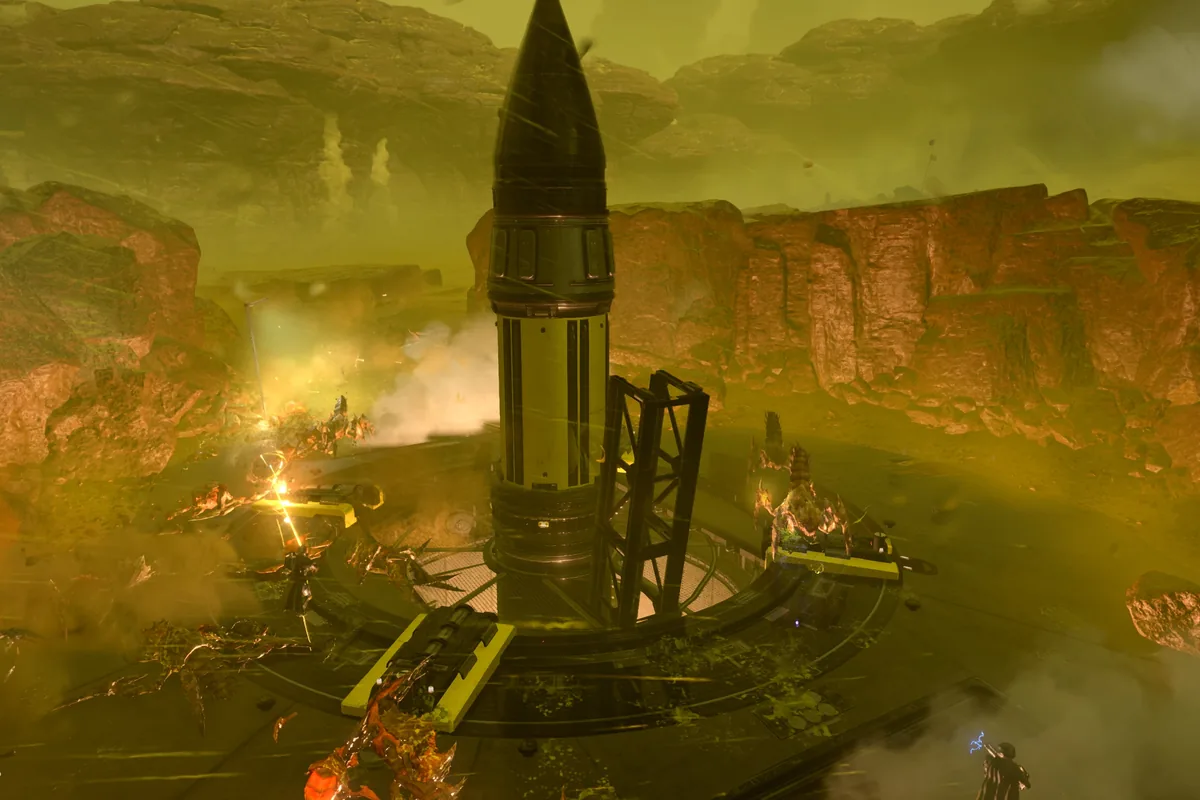
Quick answer: how do you get Warbonds?
To get a Warbond in Helldivers 2, enter the game's Warbond or acquisition menu, choose the premium Warbond you want, and confirm it with the Super Credits price shown by the live client. After it is available on your account, play missions and complete objectives to build a Medal balance. Spend those Medals on the Warbond pages, starting with the reward you actually need. The important distinction is that Super Credits are the access step while Medals are the progression step. You do not need to buy a separate physical item, and this guide does not recommend third-party sellers or account services.
The rule to remember
Super Credits unlock access to a premium Warbond. Medals unlock individual pages and rewards. If you have one currency but not the other, the process can stop at a different point.
What this guide covers
The menu path, currency roles, mission loop, purchase checks, reward priorities, common mistakes, and the limits of advice based on an older patch or screenshot.
What a Warbond is in Helldivers 2
A Warbond is a themed reward track that contains items such as weapons, armor, boosters, capes, emotes, and other cosmetic or gameplay rewards. It is not the same thing as a single weapon pack. A premium Warbond normally has an access cost in Super Credits, then asks you to spend Medals to move through its pages. The exact price, page layout, item names, and balance value can change, so the in-game screen is the final authority when you are ready to spend. Older Warbonds may remain available, but availability and platform presentation should still be checked in the live client.
Premium access versus reward unlocks
Buying or unlocking access does not automatically claim every reward. Think of the Warbond as a catalogue: the first currency opens the catalogue, and Medals pay for the entries you choose.
Why the difference matters
A player can have enough Super Credits and still feel stuck if the Medal reserve is low. Conversely, a large Medal balance does not replace the access currency shown on the Warbond page.
What you need before opening the menu
There are three practical checks before you start. First, confirm that the Warbond is visible and available in your current game client rather than relying on an old video or a rumour. Second, note the exact Super Credits price displayed now. Similar Warbonds may share a common price point, but a guide should not promise a number that the live page does not show. Third, look at your Medal balance and decide whether you can reach the first useful pages soon. This prevents a purchase from becoming a catalogue you cannot meaningfully explore for several sessions.
Keep your account context
Returning players should compare the new reward track with Warbonds they already own. New players should protect enough currency for a broad first choice instead of buying because a thumbnail is trending.
Check platform and account state
Use the same account and platform profile where you play. Never give login details to a service that promises to add Warbonds or currency for you.
Step 1: open the live Warbond or acquisition menu
Start from the game's current ship or main navigation flow and open the Warbond area. Menu names can move after a major update, so follow the label visible in your client rather than a static screenshot. Read the description, reward pages, access state, and currency counters before selecting anything. This is also the right moment to confirm that you are looking at a real Warbond and not a community concept, leaked image, or unrelated store promotion.
Why the live client comes first
A search result can be useful for discovering a topic but it may combine old prices, preview items, and speculation. The live page is the closest source for what your account can actually select.
What to record
Note the displayed name, access price, first-page rewards, and any notice about availability. Those details make later comparisons much more reliable.
Step 2: use Super Credits for access
Select the Warbond only after reading the current access price and confirming that you want the reward track. Super Credits are the currency used for the access decision in the game's Warbond system. Do not confuse them with Medals, and do not assume that earning a mission reward automatically pays the premium access cost. If your balance is short, the safest action is to wait, verify the live price again later, and use only legitimate in-game or platform-supported paths. Avoid websites offering discounted currency, account transfers, or instant unlocks.
A simple affordability rule
Keep a small reserve for the rest of your normal play and only commit the amount shown in the live client. The site's homepage planner can help compare currency, Medals, role gaps, and owned Warbonds before a decision.
What access does not do
It does not make every reward free. After access is available, each page still has its own Medal requirements and page order.
Step 3: earn Medals through normal play
Medals are the progression resource for opening rewards in the Warbond. You build them through the game's normal mission and objective loop, including the reward paths presented by the current version of the game. Check the end-of-mission results and current objective information instead of trusting a fixed farming claim. Difficulty, mission type, personal performance, and live balance changes can affect how quickly your reserve grows. The useful habit is to play the missions you can complete consistently, then spend Medals on the next reward that improves your loadout rather than emptying the balance on low-priority cosmetics.
Do not promise a fixed farm
A current guide can explain the system without claiming that one difficulty or mission always gives a fixed amount. Patch changes and mission updates can make old numbers misleading.
Track the next page
Before a session, choose one weapon, armor passive, booster, or other reward you want to reach. This turns Medals into a plan rather than an impulse spend.
Step 4: unlock pages and choose rewards
Open the Warbond pages and spend Medals on an available reward when you meet its requirement. Page order matters because some tracks ask you to unlock earlier items before reaching later pages. Start with rewards that solve a real problem in your missions: a missing role, a weapon type your squad lacks, or a passive that supports the way you play. Cosmetic items can still be valuable, but put them after the rewards you will use if your Medal balance is limited. The best first reward is account-specific, not automatically the most expensive or most recently announced item.
A practical priority
Choose one combat need, one flexible reward, and one cosmetic goal. If the first two pages do not offer a useful answer, keep your Medals and compare another available track.
Use the planner as a second opinion
The homepage planner is designed to compare role gaps and owned Warbonds. It supports the decision; it cannot see your live inventory or guarantee a meta result.
Step 5: understand what you can and cannot earn
Warbonds are not a shortcut to unlimited currency. The access currency and the reward currency serve different jobs, and some items may be returned through the track as part of the game's current economy. Read each reward description and the live client terms carefully. Do not assume that every Warbond has the same number of pages, identical item categories, or identical value after a balance patch. Community tables can help you find names and comparisons, but they should be treated as a reference until the game confirms the current item text.
Permanent does not mean unchanged
A Warbond can remain available while weapons, armor passives, or reward values change. Recheck the game after major patches before treating an old ranking as a buying order.
Separate facts from opinions
The access flow and visible prices are facts for your client. Whether a reward is strong, fun, or worth prioritizing is a playstyle judgment.
Common mistakes when getting a Warbond
The first mistake is mixing up Super Credits and Medals. The second is buying access before checking the first useful pages. The third is following a tier list without comparing your owned Warbonds, squad role, and mission problems. Another mistake is using an old screenshot to infer today's price or reward text. Finally, never share your account password or use a grey-market seller for currency. A legitimate unlock is completed inside the game or through the platform path it presents; a third-party promise is not a safer shortcut.
When waiting is the better choice
Wait if the Warbond is not confirmed in your client, your balance is short, you have too few Medals to test the first pages, or a major patch has just changed the items you care about.
A better decision question
Ask which reward you can use in your next few missions, not only which Warbond has the loudest announcement or highest community score.
How to keep the guide current
Warbond information is partly stable and partly time-sensitive. The currency roles and general menu flow are useful long-term explanations, while prices, reward names, page order, availability, and balance value need a fresh check. When a new Warbond or patch arrives, verify the live client first, then read official Steam news, PlayStation information, or Arrowhead communications. If those sources disagree with an old article, prefer the newer official information and record the date you checked it. That maintenance rule keeps a how-to guide useful without pretending that one screenshot is permanent proof.
What this site can verify
This page explains the decision model and links to official sources. It does not sell Super Credits, claim access to player accounts, or guarantee a specific reward value.
What players should verify
Confirm the current access price, page requirements, reward text, and availability directly before spending.
Warbond unlock flow at a glance
| Stage | Currency or source | What you do | What to verify |
|---|---|---|---|
| 1. Find the track | Live game client | Open the Warbond area and select an available track. | Name, availability, current reward pages. |
| 2. Unlock access | Super Credits | Confirm the access price shown by the game. | Exact live price and account balance. |
| 3. Build progress | Medals from play | Complete missions and objectives, then review the result screen. | Current mission rules; avoid fixed old farming claims. |
| 4. Open pages | Medals | Spend Medals on eligible pages and rewards. | Prerequisites and the next useful item. |
| 5. Recheck later | Official updates | Review the client after patches or announcements. | Price, item text, balance changes, and availability. |
The resource flow in one example
Imagine a returning diver with enough Super Credits for the displayed access price but only a small Medal reserve. The correct conclusion is not that the Warbond is unusable. It means the access step and the reward step will happen at different times. Open the track only if the early rewards solve a real loadout problem, then earn Medals through missions and unlock one useful page at a time. A player with many Medals but not enough Super Credits has the reverse problem: progress currency is ready, but premium access still needs to be confirmed through the live client.
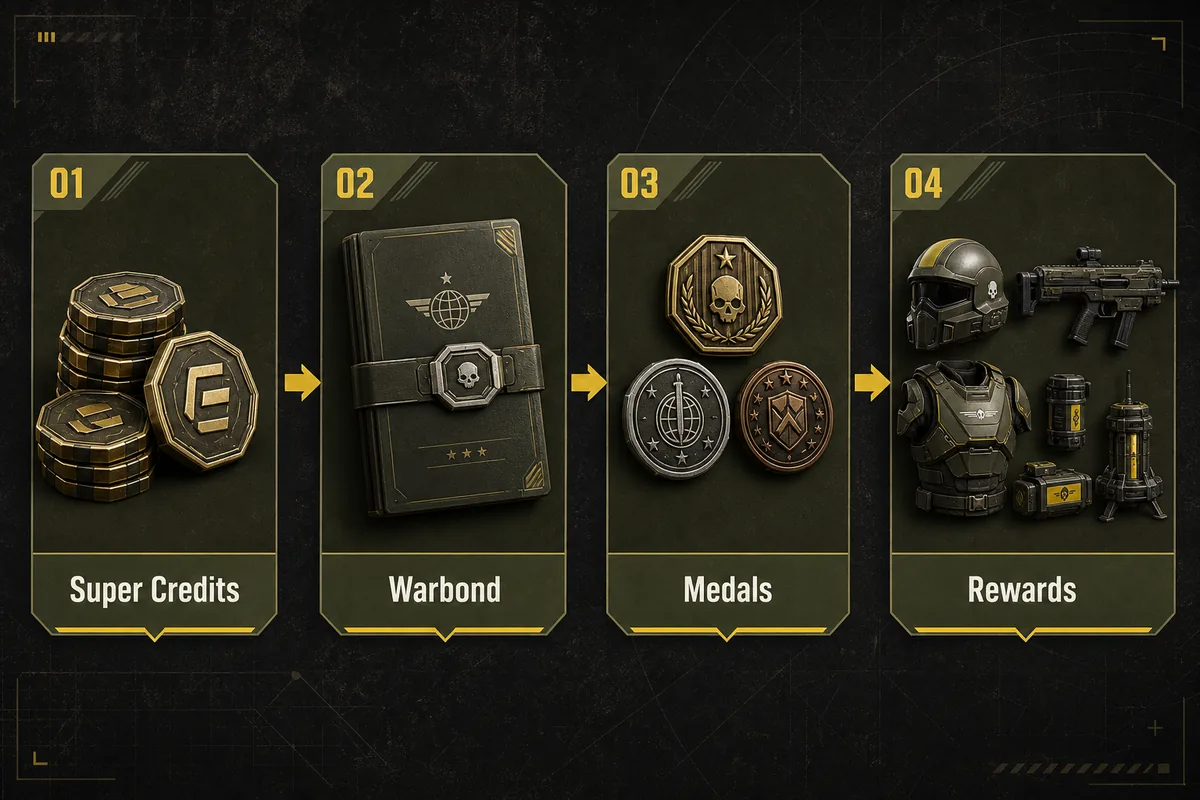
Why missions still matter after access
Buying access does not replace playing the game. The mission loop is where you continue building the Medal balance used for page rewards, and it is also where you discover whether a new item fits your squad. Test a reward in the missions you actually run. A theoretical strength rating can be less useful than a weapon or passive that helps you finish objectives consistently with your team.

New players: protect the first decision
New players often have the least spare currency and the least context for comparing reward tracks. Read the current page, look at the first useful rewards, and avoid committing because a new name is trending. A broad role that helps across several mission types can be safer than a narrow item you cannot yet evaluate. Keep enough Medals to reach a meaningful reward after access, and use the planner on the homepage as a transparent second opinion rather than an automatic purchase command.
Returning players: compare overlap
Returning players should list the Warbonds and roles they already own before spending. If your account already covers crowd control, anti-armor, mobility, and support, novelty may be a valid reason to buy. If one role is still missing, a less fashionable track may provide more immediate value. This is where a generic ranking and a personal buy order differ: the first describes a broad audience, while the second describes your current inventory and squad.
Community advice versus official confirmation
Community spreadsheets, videos, and wiki pages are useful for discovering reward names and seeing how other players use an item. They are not a substitute for the live price, availability, or official item description. Treat community material as experience-based advice, label it as such, and verify the fields that can affect spending. The source list below starts with first-party PlayStation and Steam pages, while the site remains an independent fan guide.
Related next step
If you already understand the unlock flow and want help deciding what to buy first, compare the best Warbond buy-order guide and then use the homepage planner. The two pages have different jobs: this one explains how access and rewards work; the comparison page weighs role gaps, Medals, patch risk, and owned tracks.
Seven checks before you spend
- Open the live Warbond page in your own game client.
- Confirm the displayed Super Credits access price.
- Separate the access currency from the Medal reward currency.
- Read the first useful pages before committing.
- Compare the track with your owned Warbonds and squad role.
- Avoid third-party sellers, account transfers, and password requests.
- Recheck official updates after major patches or new announcements.
Open planner Read the Super Credits route guide Best Helldivers 2 Warbond guide Helldivers 2 next Warbond guide Open the tier list
How to get Warbonds in Helldivers 2 FAQ
How do you get Warbonds in Helldivers 2?
Open the live Warbond area, choose an available premium track, and use the Super Credits price shown by the game. Then use Medals earned through normal play to unlock its reward pages.
Do you use Super Credits or Medals to get a Warbond?
They have different roles. Super Credits are used for premium Warbond access, while Medals are used to unlock individual pages and rewards after access is available.
Can you unlock every Warbond for free?
Do not assume that. Check the current game client for the access state and price of the specific Warbond. This guide does not promise a free or discounted path.
How do you earn Medals for Warbond rewards?
Play the current mission and objective loop, review the end-of-mission rewards, and follow the live rules. Avoid relying on fixed farming numbers from an old patch.
Do you get every weapon immediately after buying access?
No. Access normally makes the track available; individual rewards still require Medals and may have page prerequisites.
What should a new player check first?
Check the current access price, inspect the first useful pages, compare the track with your role needs, and keep enough Medals to reach a reward you can actually use.
Are old Warbonds still safe to follow from a guide?
Use older guides for context, then verify current availability, price, reward text, and balance in the live client and official updates before spending.
Is this an official Helldivers 2 website?
No. Helldivers Warbond is an independent fan guide. It does not sell currency, items, accounts, or access services and is not affiliated with Arrowhead, PlayStation, Sony, or Games Workshop.
Official sources and media note
- PlayStation Helldivers 2 page - First-party game context and the source of the two real gameplay images used on this page.
- Steam Helldivers 2 news - First-party platform news source to check for announcements and updates.
- Helldivers Wiki Warbonds - Community reference for discovery; verify spending-critical details in the live game.